‏إظهار الرسائل ذات التسميات ASUS. إظهار كافة الرسائل

الجمعة، 8 ديسمبر 2017

List Of Android Nougat 7.0 Custom roms for Popular Phones .| for sock rom go to rompure.com

List of Nougat Custom rom for all Android Devices . 

As we all know that android nougat 7.0 is the latest version of android and many smartphone manufacturers have already started rolling out official updates for the devices , But still there are many devices that didn't get the update or will never get the update because of discontinued support from developers . So in that case users left with only option of installing Nougat 7.0 custom rom on their devices . So below is the list of all popular devices that got android nougat based custom roms .
Download-Nougat-Roms-for-all-Popular-android-Phones

Download Nougat Roms for all Popular android Phones .

Earlier we shared the List of Devices getting official android 7.0 upgrade and list Of CM14 Rom supported devices , and Now we are sharing the list of Nougat roms for all Popular android smartphones . 

So first of all Starting with the 

Download Nougat Custom rom for samsung Devices :- 

Galaxy S4 :- 

Download-Nougat-Roms-for-all-Popular-android-Phones

Samsung Galaxy S4 is the first smartphone in the Nougat custom rom list which got the update from CM14 Custom rom . The nougat based custom rom for s4 comes with many features . So you Can Update your Galaxy S4 :- Download and Install Galaxy S4 nougat 7.0 Custom rom .


Samsung Galaxy Note 1 :- 

Download-Nougat-Roms-for-all-Popular-android-Phones
The Galaxy note 1 is a very old device and therefor the device will not get official update from samsung developers , But still users can flash the Cyanogenmod 14 rom on the device  . Here is : Samsung Galaxy Note 1 Nougat 7.0 Custom rom .

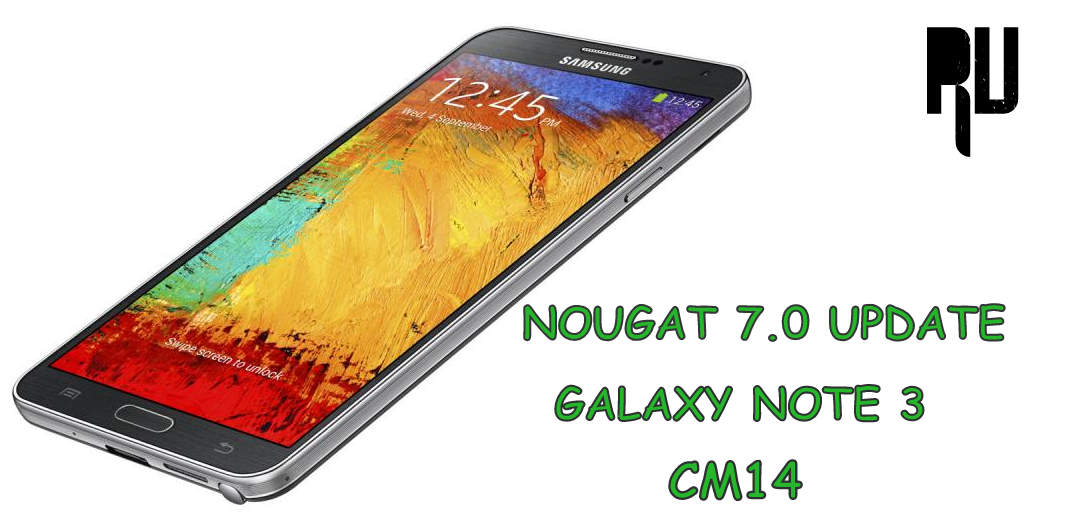
Samsung galaxy Note 3 :- 

Download-Nougat-Roms-for-all-Popular-android-Phones
Galaxy Note 3 is one of the most popular note series smartphone from samsung but as it is a old device so it also will not get the official update from samsung . So the users who want to enjoy the latest android version on their note 3 can install CM14 Nougat custom rom on their device . Nougat 7.0 Custom rom for Samsung galaxy Note 3 .

Samsung Galaxy S3 :- 
Download-Nougat-Roms-for-all-Popular-android-Phones
Samsung galaxy S3 is also a old device , But the device comes with a decent hardware and thats the reason the smartphone got a Stable Nougat 7.0 based custom rom. Android N 7.0 Nougat Custom rom for Samsung Galaxy S3 .

Samsung Galaxy Grand Prime :- 

Download-Nougat-Roms-for-all-Popular-android-Phones
The samsung galaxy grand prime was launched in 2014 September and the device currently runs on android lollipop . As the device still runs on lollipop so there are very rare chances that the company will roll out a update , But still users can flash nougat custom rom on the device . Samsung galaxy grand prime nougat 7.0 custom rom .

Samsung Galaxy S2 :- 

Download-Nougat-Roms-for-all-Popular-android-Phones
Galaxy s2 is one of the most old devices in the Nougat custom rom list , The device comes with just 1gb of ram and a dual core processor but still the developers manages to make a stable rom for the device . Nougat 7.0 custom rom for Galaxy S2 .

Samsung galaxy Ace 3 :- 

Download-Nougat-Roms-for-all-Popular-android-Phones
Samsung galaxy Ace 3 is the first smartphone of Ace series which got a Nougat custom rom . The Ace 3 was successor of Ace 2 smartphone and the smartphone still runs on android jellybean and we dont see any hope of official update for the device . So the users can install CM14 rom on the device to update it to the latest android version . Samsung galaxy Ace 3 Nougat 7.0 custom rom .

Samsung Galaxy Note 4 :- 

Download-Nougat-Roms-for-all-Popular-android-Phones
Samsung galaxy note 4 was launched in 2014 and surprisingly the smartphone is in the list to get official android nougat 7.0 update . As the update is not confirmed and there is no official date announced so users can install CM14 in galaxy note 4 and Update it . Samsung galaxy Note 4 Nougat custom rom .

Samsung Galaxy S5 :- 
Download-Nougat-Roms-for-all-Popular-android-Phones
The Samsung galaxy s5 was launched in 2014 and despite a powerful processor the smartphone still runs on android kitkat . So the users who want to get Nougat 7.0 update on their device can install CM14 rom . Nougat 7.0 custom rom for Samsung galaxy S5 .

Samsung Galaxy A5 :- 
Download-Nougat-Roms-for-all-Popular-android-Phones
Samsung galaxy A5 is the latest smartphone in this list to get CM14 nougat custom rom , However the smartphone is also expected to get official nougat update in the coming days . Samsung galaxy A5 nougat 7.0 custom rom .

Samsung galaxy S duos 2 :- 
Download-Nougat-Roms-for-all-Popular-android-Phones
Samsung galaxy S duos 2 currently runs on android jellybean , being a old device there will be no update from Samsung for the Duos 2 . So the users who want to Update their Galaxy Duos 2 can flash the Nougat custom rom . Android 7.0 Nougat Custom rom for Samsung galaxy S duos 2 .

Samsung Galaxy S7 / S7 Edge .

Both the Samsung Galaxy S7 and S7 Edge also Got the Official Nougat Update from the Company , Users Can Now Officially Update Samsung Galaxy S7 / S7 Edge to Android 7.0 Nougat .

Download Nougat 7.0 Custom rom For Xiaomi Devices :- 

Xiaomi redmi Note 3 :- 

Download-Nougat-Roms-for-all-Popular-android-Phones
Xiaomi redmi note 3 is the mot popular device , and most probably thats the reason why it is also the first xiaomi device to get a CM14 nougat custom rom . Miui 8 based on android 6.0 marshmallow is still in beta testing for the device but there is no info on Nougat update . Xiaomi redmi note 3 nougat 7.0 custom rom .

Xiaomi Mi 4 :- 
Download-Nougat-Roms-for-all-Popular-android-Phones
The mi 4 is second smartphone in Xiaomi nougat custom rom list . The Mi 4 comes with a powerful processor and it runs on Miui 8 marshmallow . The users want to install latest android version on their device can use Xiaomi Mi 4 Nougat custom rom .

Xiaomi Mi 3 :- 

Download-Nougat-Roms-for-all-Popular-android-Phones
Xiaomi Mi 3 is the predecessor of Mi 4 , The smartphone was the first flagship of Xiaomi that was launched in India . Xiaomi have discontinued making mi 3 so there will be no official update from xiaomi for the Mi 3 but the users can install CM14 on the Device . CM14 nougat 7.0 custom rom for Xiaomi Mi 3 .

Xiaomi Redmi 1s :- 

Download-Nougat-Roms-for-all-Popular-android-Phones
Xiaomi redmi 1s is the first smartphone of the redmi series that got Cm14 custom rom which is based on android 7.0 nougat . Android 7.0 Nougat Custom rom for Xiaomi redmi 1s .

Xiaomi redmi Note 4G :- 
Basically there are 2 version of the Xiaomi redmi note one is mediatek based and the second one is Snapdragon which is also known as Redmi note 4G . So As of there is a CM14 rom available for the Note 4G . Xiaomi redmi Note 4G nougat Custom rom .

Xiaomi redmi 2 / redmi 2 prime .

CM14 for Xiaomi redmi 2 and redmi 2 prime has been released . Now users can Install CM14 on Both Devices and update it . Here is How to Update Redmi 2/prime to Android 7.0 Nougat .

Download Android Nougat custom rom for Motorola Moto Smartphones :- 

Moto Droid Turbo :- 

Download-Nougat-Roms-for-all-Popular-android-Phones
Moto Droid turbo is the first smartphone from Motorola to get a Nougat 7.0 custom rom , Droid turbo is also in the list to get official update so users can also wait for the company to release a update . Here is Nougat 7.0 Custom rom for Moto Droid turbo .

Moto G4 Plus :- 

Download-Nougat-Roms-for-all-Popular-android-Phones
Moto G4 plus is the first smartphone which got the official nougat update from the company itself , so basically there is no custom rom for G4 plus . Here is How to Update moto G4 plus to android Nougat 7.0 officially .

Moto G 3rd Gen, 2Nd gen .

Download-Nougat-Roms-for-all-Popular-android-Phones
Moto G 2nd and 3rd gen both the smartphones comes with almost same specifications , And luckily both the smartphones also got a CM14 custom rom :- CM14 nougat custom rom for Moto G 2nd gen and 3rd Gen .

Moto X :- 
Download-Nougat-Roms-for-all-Popular-android-Phones
Moto X is also one of the popular smartphones from the company , and the device is also in the list of official nougat 7.0 update . But till now there is no news on the releasing date , so users can install nougat custom rom for Moto x and update .

Nougat rom for popular android smartphones :-


So this was our List of Nougat 7.0 custom rom for all Popular android smartphones , I hope you liked it .

الاثنين، 5 ديسمبر 2016

Asus ဖုန္းေလးေတြ Frp lock ေက်ာ္နည္းေလး တင္ေပးလိုက္ပါတယ္

Asus ဖုန္းေလးေတြ Frp lock ေက်ာ္နည္းေလး တင္ေပးလိုက္ပါတယ္ ပံုေလးေတြႀကည့္ျပီး တဆင့္ခ်င္းလုပ္သြားလိုက္ႀကပါေနာ္
အားလံုးအဆင္ေျပႀကပါေစခင္ဗ်
အရင္ဆံုးလိုအပ္တဲ့ apk ေလးေတြ download ဆဲြျပီး SD card ထဲ ေကာ္ပီကူးျပီးထည့္ေပးထား
လိုက္ပါ
download link>>> https://drive.google.com/file/d/0B0D_idWJrnBxYXpoMDVST3lXS0U/view
ျပီးရင္ေတာ့ ေအာက္ကပံုေလးေတြသာျကည့္သြားလိုက္ႀက ေတာ့ေနာ္

السبت، 1 أكتوبر 2016

الأحد، 5 يونيو 2016

ASUS FLASH TOOL V.1.0.0.34

ASUS device မ်ားအတြက္ Flashtool update ေလးပါ။
model အသစ္ေတြကုိ ထပ္တုိးေပးထားပါတယ္။
လုိအပ္ရင္ေတာ့ Download ရယူႏုိင္ပါတယ္။


mainDownloadButton2

အဆင္ေျပပါေစ။
Warmly Welcome

الثلاثاء، 26 مايو 2015

ASUS Zenfone 4 A400CG Lollipop Firmware


အဆင္ေျပရင္ေအာက္ပါေၾကာ္ျငာကိုတစ္ခ်က္ကလစ္ခဲ့ပါ
++++++++++++++++++++++++++++++++++++++++++++++++++++ ++++++++++++++++++++++++++++++++++++++++++++++++++++ အဆင္ေျပပါေစ ေက်းဇူးတင္ပါတယ္

الأربعاء، 4 فبراير 2015

Asus Zenfone Fonepad Firmware Collection


More Firmware>>>>>>>>>>>>>>>>

အဆင္ေျပရင္ေအာက္ပါေၾကာ္ျငာကိုတစ္ခ်က္ကလစ္ခဲ့ပါ
++++++++++++++++++++++++++++++++++++++++++++++++++++ ++++++++++++++++++++++++++++++++++++++++++++++++++++ အဆင္ေျပပါေစ ေက်းဇူးတင္ပါတယ္

ASUS Fonepad Note 6 (ME560CG)

 Version  JP_V11.2.1.39
DescriptionASUS Fonepad Note 6 (ME560CG) firmware version: JP_KK V11.2.1.39, this software is only available to customers updated with the JP version.
Improvement points:
1. enhance system stability
2. Enhance the effect of camera beauty mode
3. Fixed customer complaints: Tele2 telecom providers can not automatically register online issue
new regulations 4. Information
5. Facebook services due to the adjustment policies, Asus apps future You can not get a complete list of Facebook friends, as well as their public information, such as birthdays, message, photo albums, etc. In line with this policy changes, some functions will make corresponding adjustments. Thank you for your understanding and considerate. Software adjustments parts:
- Asus Gallery
- Friends of Public albums can not provide
- and the message can not be provided by Sponsor Update steps: 1. Check the device uses version ** 2. Download device software and update procedures manual (from the "Handbook" field) 3. Only in the same version of the update, such as: WW> WW, CN> CN, TW> TW. 4. Software Update can not be converted into other versions with lower version. 5. wrong version will cause the update fails, use the same version updates* How do you know the model device? path: Settings -> About -> Model ** How do I know the software version of the device? path: Settings -> About -> Software Information -> version number system upgrades may lead to partial loss of data, it is recommended to properly back up important data before upgrading.


File Size1149.12 MBytes更新 2014/12/30
Download locationGlobal
Version  WW_V11.2.1.39
DescriptionASUS Fonepad Note 6 (ME560CG) firmware version: WW_KK V11.2.1.39, this software is only available to customers updated with WW version.
Improve Items:
1. Improve system Stability
improvement points:
1. enhance system stability
2. Enhance the effect of camera beauty mode
3. Fixed customer complaints: Tele2 telecom providers can not automatically register online issue
new regulations 4. Information
Services 5. Because Facebook adjustment policies, Asus apps will not be able to get your next full list of Facebook friends, as well as their public information, such as birthdays, message, photo albums, etc. In line with this policy changes, some functions will make corresponding adjustments. Thank you for your understanding and considerate. Software adjustments parts:
- Asus Gallery
- Friends of Public albums can not provide
- and the message can not be provided by Sponsor Update steps: 1. Check the device uses version ** 2. Download device software and update procedures manual (from the "Handbook" field) 3. Only in the same version of the update, such as: WW> WW, CN> CN, TW> TW. 4. Software Update can not be converted into other versions with lower version. 5. wrong version will cause the update fails, use the same version updates* How do you know the model device? path: Settings -> About -> Model ** How do I know the software version of the device? path: Settings -> About -> Software Information -> version number system upgrades may lead to partial loss of data, it is recommended to properly back up important data before upgrading.


File Size1162.07 MBytes更新 2014/12/30
Download locationGlobal
Version  TW_V11.2.1.39
DescriptionASUS Fonepad Note 6 (ME560CG) firmware version: TW_KK V11.2.1.39, this software is only available to customers updated with the TW version.
Improvement points:
1. enhance system stability
2. Enhance the effect of camera beauty mode
3. Fixed customer complaints: Tele2 telecom providers can not automatically register online issue
new regulations 4. Information
5. Facebook services due to the adjustment policies, Asus apps future You can not get a complete list of Facebook friends, as well as their public information, such as birthdays, message, photo albums, etc. In line with this policy changes, some functions will make corresponding adjustments. Thank you for your understanding and considerate. Software adjustments parts:
- Asus Gallery
- Friends of Public albums can not provide
- and the message can not be provided by Sponsor Update steps: 1. Check the device uses version ** 2. Download device software and update procedures manual (from the "Handbook" field) 3. Only in the same version of the update, such as: WW> WW, CN> CN, TW> TW. 4. Software Update can not be converted into other versions with lower version. 5. wrong version will cause the update fails, use the same version updates* How do you know the model device? path: Settings -> About -> Model ** How do I know the software version of the device? path: Settings -> About -> Software Information -> version number system upgrades may lead to partial loss of data, it is recommended to properly back up important data before upgrading.


File Size1165.4 MBytes更新 2014/12/30
Download locationGlobal
Version  JP_V11.2.1.34
DescriptionASUS Fonepad Note 6 (ME560CG) firmware version: JP_KK V11.2.1.34, this software is only available to customers updated with the JP version.
Improvement points:
1. Firmware upgrade to Android 4.4.2 (KitKat)
2. UI interface upgrade for ZenUI
3. optimize system performance, improving the situation lag
enhance system stability 4.
5. enhance call quality
6. Strengthen reading mode display
7. Strengthening the effect of camera beauty mode
Modem firmware update 8.
9. Modem promote stability
10. Launcher improve smoothness of
support Lync 2013 11.
12. Removes Device Tracker, APP backup, MyLibrary 2.0, parental lock, MyBit Cast and AO Link
13. New ASUS Account, Easy mode, music, MyASUS, Omlet chat rooms, PlayTo, with the Notes, What's Next, Zen Links and system optimization
and tuning to 14. APP Locker Launcher update steps: 1. Check the device uses ** version 2. Download device software and update procedures manual (from the "manual" column) 3. only in the same version update, such as: WW> WW, CN> CN, TW> TW. 4. . Software updates can not be converted to other versions of the fall edition 5. wrong version will cause the update fails, use the same version of the updated models of the device * How do you know? path: Settings -> About -> Model ** How do I know device ? The software version of the path: Settings -> About -> Software Information -> Version number system upgrade may result in partial loss of data, it is recommended to properly back up important data before upgrading.


File Size1173.58 MBytes更新 2014/10/27
Download locationGlobal
Version  WW_V11.2.1.34
DescriptionASUS Fonepad Note 6 (ME560CG) firmware version: WW_KK V11.2.1.34, this software is only available to customers updated with WW version.
Improvement points:
1. Firmware upgrade to Android 4.4.2 (KitKat)
2. UI interface upgrade for ZenUI
3. optimize system performance, improving the situation lag
enhance system stability 4.
5. enhance call quality
6. Strengthen reading mode display
7. Strengthening the effect of camera beauty mode
Modem firmware update 8.
9. Modem promote stability
10. Launcher improve smoothness of
support Lync 2013 11.
12. Removes Device Tracker, APP backup, MyLibrary 2.0, parental lock, MyBit Cast and AO Link
13. New ASUS Account, Easy mode, music, MyASUS, Omlet chat rooms, PlayTo, with the Notes, What's Next, Zen Links and system optimization
and tuning to 14. APP Locker Launcher
File Size1169.01 MBytes更新 2014/10/24
Download locationGlobal
Version  TW_V11.2.1.34
DescriptionASUS Fonepad Note 6 (ME560CG) firmware version: TW_KK V11.2.1.34, this software is only available to customers updated with the TW version.
Improvement points:
1. Firmware upgrade to Android 4.4.2 (KitKat)
2. UI interface upgrade for ZenUI
3. optimize system performance, improving the situation lag
enhance system stability 4.
5. enhance call quality
6. Strengthen reading mode display
7. Strengthening the effect of camera beauty mode
Modem firmware update 8.
9. Modem promote stability
10. Launcher improve smoothness of
support Lync 2013 11.
12. Removes Device Tracker, APP backup, MyLibrary 2.0, parental lock, MyBit Cast and AO Link
13. New ASUS Account, Easy mode, music, MyASUS, Omlet chat rooms, PlayTo, with the Notes, What's Next, Zen Links and system optimization
and tuning to 14. APP Locker Launcher update steps: 1. Check the device uses ** version 2. Download device software and update procedures manual (from the "manual" column) 3. only in the same version update, such as: WW> WW, CN> CN, TW> TW. 4. . Software updates can not be converted to other versions of the fall edition 5. wrong version will cause the update fails, use the same version of the updated models of the device * How do you know? path: Settings -> About -> Model ** How do I know device ? The software version of the path: Settings -> About -> Software Information -> Version number system upgrade may result in partial loss of data, it is recommended to properly back up important data before upgrading.


File Size1172.4 MBytes更新 2014/10/24
Download locationGlobal
Version  WW_V10.16.1.39.3
DescriptionASUS Fonepad Note 6 firmware version: V10.16.1.39.3 WW version uses only
update steps:
1. Check ASUS Fonepad Note 6 using version *
2. Please download ASUS Fonepad Note 6 firmware version number V10.16.1.39.3 WW Special version and version update instructions (go to "Manual" Download) ※ firmware update can not be converted into other versions with lower version. Wrong regional editions will cause the update fails, you can only be updated at the same version of the action How to check the ASUS Fonepad Note 6 using version? path: [Settings] -> [About tablet] -> version number, for example: You can see the version number, WW_fonepad-10.XXX_2013xxxx, "WW" that is a regional version ., if you are a telcos version, later versions will be more than one column, such as CHT


File Size1126.61 MBytes更新 2014/06/18
Download locationGlobal
Version  TW_V10.16.1.39.3
DescriptionASUS Fonepad Note 6 firmware version: V10.16.1.39.3 TW version uses only
update steps:
1. Check ASUS Fonepad Note 6 using version *
2. Please download ASUS Fonepad Note 6 firmware version number V10.16.1.39.3 TW Special version and version update instructions (go to "Manual" Download) ※ firmware update can not be converted into other versions with lower version. Wrong regional editions will cause the update fails, you can only be updated at the same version of the action How to check the ASUS Fonepad Note 6 using version? path: [Settings] -> [About tablet] -> version number, for example: You can see the version number, WW_fonepad-10.XXX_2013xxxx, "WW" that is a regional version ., if you are a telcos version, later versions will be more than one column, such as CHT


File Size1128.43 MBytes更新 2014/06/18
Download locationGlobal
Version  JP_V10.16.1.39.3
DescriptionASUS Fonepad Note 6 firmware version: V10.16.1.39.3 JP version uses only
update steps:
1. Check ASUS Fonepad Note 6 using version *
2. Please download ASUS Fonepad Note 6 firmware version number V10.16.1.39.3 JP Special version and version update instructions (go to "Manual" Download) ※ firmware update can not be converted into other versions with lower version. Wrong regional editions will cause the update fails, you can only be updated at the same version of the action How to check the ASUS Fonepad Note 6 using version? path: [Settings] -> [About tablet] -> version number, for example: You can see the version number, WW_fonepad-10.XXX_2013xxxx, "WW" that is a regional version ., if you are a telcos version, later versions will be more than one column, such as CHT


File Size1114.86 MBytes更新 2014/06/18
Download locationGlobal