‏إظهار الرسائل ذات التسميات MICROMAX. إظهار كافة الرسائل

الجمعة، 8 ديسمبر 2017

List Of Android Nougat 7.0 Custom roms for Popular Phones .| for sock rom go to rompure.com

List of Nougat Custom rom for all Android Devices . 

As we all know that android nougat 7.0 is the latest version of android and many smartphone manufacturers have already started rolling out official updates for the devices , But still there are many devices that didn't get the update or will never get the update because of discontinued support from developers . So in that case users left with only option of installing Nougat 7.0 custom rom on their devices . So below is the list of all popular devices that got android nougat based custom roms .
Download-Nougat-Roms-for-all-Popular-android-Phones

Download Nougat Roms for all Popular android Phones .

Earlier we shared the List of Devices getting official android 7.0 upgrade and list Of CM14 Rom supported devices , and Now we are sharing the list of Nougat roms for all Popular android smartphones . 

So first of all Starting with the 

Download Nougat Custom rom for samsung Devices :- 

Galaxy S4 :- 

Download-Nougat-Roms-for-all-Popular-android-Phones

Samsung Galaxy S4 is the first smartphone in the Nougat custom rom list which got the update from CM14 Custom rom . The nougat based custom rom for s4 comes with many features . So you Can Update your Galaxy S4 :- Download and Install Galaxy S4 nougat 7.0 Custom rom .


Samsung Galaxy Note 1 :- 

Download-Nougat-Roms-for-all-Popular-android-Phones
The Galaxy note 1 is a very old device and therefor the device will not get official update from samsung developers , But still users can flash the Cyanogenmod 14 rom on the device  . Here is : Samsung Galaxy Note 1 Nougat 7.0 Custom rom .

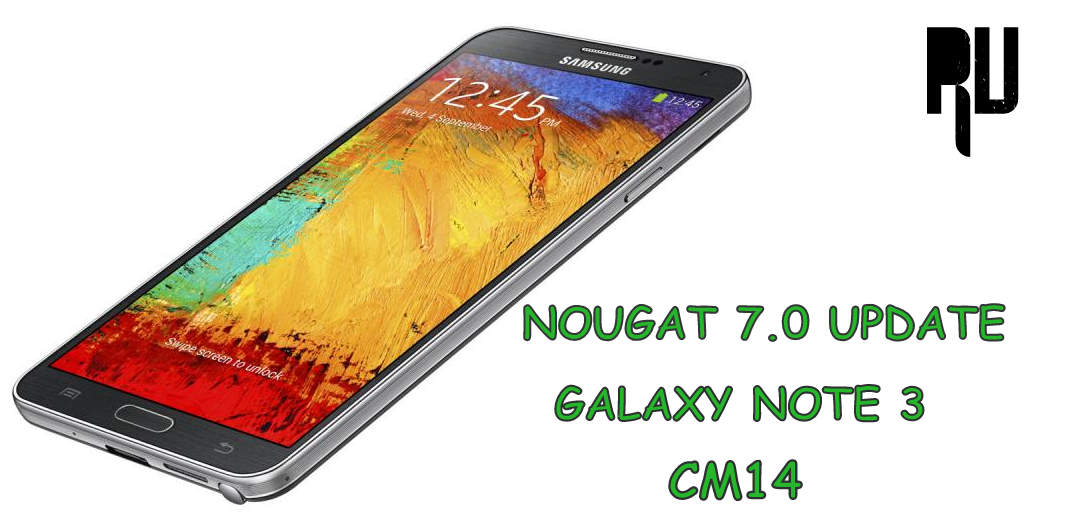
Samsung galaxy Note 3 :- 


Download-Nougat-Roms-for-all-Popular-android-Phones
Galaxy Note 3 is one of the most popular note series smartphone from samsung but as it is a old device so it also will not get the official update from samsung . So the users who want to enjoy the latest android version on their note 3 can install CM14 Nougat custom rom on their device . Nougat 7.0 Custom rom for Samsung galaxy Note 3 .

Samsung Galaxy S3 :- 
Download-Nougat-Roms-for-all-Popular-android-Phones
Samsung galaxy S3 is also a old device , But the device comes with a decent hardware and thats the reason the smartphone got a Stable Nougat 7.0 based custom rom. Android N 7.0 Nougat Custom rom for Samsung Galaxy S3 .

Samsung Galaxy Grand Prime :- 

Download-Nougat-Roms-for-all-Popular-android-Phones
The samsung galaxy grand prime was launched in 2014 September and the device currently runs on android lollipop . As the device still runs on lollipop so there are very rare chances that the company will roll out a update , But still users can flash nougat custom rom on the device . Samsung galaxy grand prime nougat 7.0 custom rom .

Samsung Galaxy S2 :- 

Download-Nougat-Roms-for-all-Popular-android-Phones
Galaxy s2 is one of the most old devices in the Nougat custom rom list , The device comes with just 1gb of ram and a dual core processor but still the developers manages to make a stable rom for the device . Nougat 7.0 custom rom for Galaxy S2 .

Samsung galaxy Ace 3 :- 

Download-Nougat-Roms-for-all-Popular-android-Phones
Samsung galaxy Ace 3 is the first smartphone of Ace series which got a Nougat custom rom . The Ace 3 was successor of Ace 2 smartphone and the smartphone still runs on android jellybean and we dont see any hope of official update for the device . So the users can install CM14 rom on the device to update it to the latest android version . Samsung galaxy Ace 3 Nougat 7.0 custom rom .

Samsung Galaxy Note 4 :- 

Download-Nougat-Roms-for-all-Popular-android-Phones
Samsung galaxy note 4 was launched in 2014 and surprisingly the smartphone is in the list to get official android nougat 7.0 update . As the update is not confirmed and there is no official date announced so users can install CM14 in galaxy note 4 and Update it . Samsung galaxy Note 4 Nougat custom rom .

Samsung Galaxy S5 :- 
Download-Nougat-Roms-for-all-Popular-android-Phones
The Samsung galaxy s5 was launched in 2014 and despite a powerful processor the smartphone still runs on android kitkat . So the users who want to get Nougat 7.0 update on their device can install CM14 rom . Nougat 7.0 custom rom for Samsung galaxy S5 .

Samsung Galaxy A5 :- 
Download-Nougat-Roms-for-all-Popular-android-Phones
Samsung galaxy A5 is the latest smartphone in this list to get CM14 nougat custom rom , However the smartphone is also expected to get official nougat update in the coming days . Samsung galaxy A5 nougat 7.0 custom rom .

Samsung galaxy S duos 2 :- 
Download-Nougat-Roms-for-all-Popular-android-Phones
Samsung galaxy S duos 2 currently runs on android jellybean , being a old device there will be no update from Samsung for the Duos 2 . So the users who want to Update their Galaxy Duos 2 can flash the Nougat custom rom . Android 7.0 Nougat Custom rom for Samsung galaxy S duos 2 .

Samsung Galaxy S7 / S7 Edge .

Both the Samsung Galaxy S7 and S7 Edge also Got the Official Nougat Update from the Company , Users Can Now Officially Update Samsung Galaxy S7 / S7 Edge to Android 7.0 Nougat .

Download Nougat 7.0 Custom rom For Xiaomi Devices :- 

Xiaomi redmi Note 3 :- 

Download-Nougat-Roms-for-all-Popular-android-Phones
Xiaomi redmi note 3 is the mot popular device , and most probably thats the reason why it is also the first xiaomi device to get a CM14 nougat custom rom . Miui 8 based on android 6.0 marshmallow is still in beta testing for the device but there is no info on Nougat update . Xiaomi redmi note 3 nougat 7.0 custom rom .

Xiaomi Mi 4 :- 
Download-Nougat-Roms-for-all-Popular-android-Phones
The mi 4 is second smartphone in Xiaomi nougat custom rom list . The Mi 4 comes with a powerful processor and it runs on Miui 8 marshmallow . The users want to install latest android version on their device can use Xiaomi Mi 4 Nougat custom rom .

Xiaomi Mi 3 :- 

Download-Nougat-Roms-for-all-Popular-android-Phones
Xiaomi Mi 3 is the predecessor of Mi 4 , The smartphone was the first flagship of Xiaomi that was launched in India . Xiaomi have discontinued making mi 3 so there will be no official update from xiaomi for the Mi 3 but the users can install CM14 on the Device . CM14 nougat 7.0 custom rom for Xiaomi Mi 3 .

Xiaomi Redmi 1s :- 

Download-Nougat-Roms-for-all-Popular-android-Phones
Xiaomi redmi 1s is the first smartphone of the redmi series that got Cm14 custom rom which is based on android 7.0 nougat . Android 7.0 Nougat Custom rom for Xiaomi redmi 1s .

Xiaomi redmi Note 4G :- 
Basically there are 2 version of the Xiaomi redmi note one is mediatek based and the second one is Snapdragon which is also known as Redmi note 4G . So As of there is a CM14 rom available for the Note 4G . Xiaomi redmi Note 4G nougat Custom rom .

Xiaomi redmi 2 / redmi 2 prime .

CM14 for Xiaomi redmi 2 and redmi 2 prime has been released . Now users can Install CM14 on Both Devices and update it . Here is How to Update Redmi 2/prime to Android 7.0 Nougat .

Download Android Nougat custom rom for Motorola Moto Smartphones :- 

Moto Droid Turbo :- 

Download-Nougat-Roms-for-all-Popular-android-Phones
Moto Droid turbo is the first smartphone from Motorola to get a Nougat 7.0 custom rom , Droid turbo is also in the list to get official update so users can also wait for the company to release a update . Here is Nougat 7.0 Custom rom for Moto Droid turbo .

Moto G4 Plus :- 

Download-Nougat-Roms-for-all-Popular-android-Phones
Moto G4 plus is the first smartphone which got the official nougat update from the company itself , so basically there is no custom rom for G4 plus . Here is How to Update moto G4 plus to android Nougat 7.0 officially .

Moto G 3rd Gen, 2Nd gen .

Download-Nougat-Roms-for-all-Popular-android-Phones
Moto G 2nd and 3rd gen both the smartphones comes with almost same specifications , And luckily both the smartphones also got a CM14 custom rom :- CM14 nougat custom rom for Moto G 2nd gen and 3rd Gen .

Moto X :- 
Download-Nougat-Roms-for-all-Popular-android-Phones
Moto X is also one of the popular smartphones from the company , and the device is also in the list of official nougat 7.0 update . But till now there is no news on the releasing date , so users can install nougat custom rom for Moto x and update .

Nougat rom for popular android smartphones :-


So this was our List of Nougat 7.0 custom rom for all Popular android smartphones , I hope you liked it .

الخميس، 16 نوفمبر 2017

How to Update Micromax Canvas 2 Colours to 6.0 Marshmallow .| for sock rom go to rompure.com

How to Upgrade Micromax A120 canvas 2 Colors to Android 6.0 Marshmallow .

Do you want to update your Micromax canvas 2 Colours to android M 6.0 marshmallow ? if yes then you are at right place . Today we are here with the guide on How to Update Micromax A120 Canvas colors 2 to android 6.0 marshmallow . 

Micromax Canvas 2 colors was launched in 2014 may and since then the smartphone is running on android Jellybean . Canvas 2 colors was one of the most popular devices in india but as we already mentioned earlier that the device still runs on android 4.2 So today we are here with the way to upgrade canvas 2 in marshmallow . 

update-micromax-canvas-2-colors-with-6.0-marshmallow

Android 6.0 Marshmallow custom rom for Micromax canvas 2 colors .

The name of the custom rom for Micromax canvas 2 colors that we will flash is Cyanogenmod 13 also known as CM13 . Cm13 is based on android 6.0 marshmallow , CM13 is one of the finest custom roms . The Cyanogenmod 13 custom rom for micromax A120 canvas 2 colors comes with many advanced features .

How to update android Jellybean to android N 7.0 Nougat .

The Custom rom that we are going to flash today is much better than the stock 4.2 jellybean Os running on The canvas 2 colors . Not only in looks but the Cm13 also comes with lots of features . 

Some of the major features of the custom rom are :- 

  • All Android 6.0 marshmallow features .
  • All Cyanogenmod 13 features .
  • Super smooth .
  • Multitasking .
  • Battery Tweaks .
  • Theme support .
Requirements :- 

  • First of all Make sure you are using Micromax A120 canvas 2 colors . 
  • This custom rom is ported for Canvas 2 colors only .
  • Minimum percent of battery available in your canvas 2 should be more than 70 % .
  • Make sure you are on Wiko rainbow V13 base with Philz v6.59.0   .
  • Internet connection is required to download the custom rom for Device .

Cm13 custom rom for Canvas 2 colours  .

  • First of all Download the CM13 custom rom from Here .
  • Now place the downloaded custom rom in the Internal Memory .
  • Now boot your Canvas 2 colors in recovery mode .
  • After booting in to recovery mode , Wipe cache . 
  • Then wipe Data . 
  • Then wipe cache partition . 
  • After wiping both data and cache partition .
  • Choose install " Now select the Cm13 custom rom " .
  • As soon as you choose the rom the installation will start .
  • The installation will take Around 5 minutes to complete . 
  • Now choose " Reboot system Now " .
That's all !!!! You have successfully updated your Micromax canvas 2 colors to Android 6.0 marshmallow by using a Custom rom .

الجمعة، 10 نوفمبر 2017

Micromax Unite 4 Pro Review .| for sock rom go to rompure.com

Micromax Canvas Unite 4 Pro Q465 Review .

Do you want to Know the review of Micromax unite 4 Pro ? if yes then you are at right Place . Today we are here with the review of the newly Launch unite 4 pro .

Micromax is a indian smartphone company and obviously we all know micromax very well . Micromax was one of the first smartphone company in india to offer affordable android smartphones and this made it  the biggest indian Smartphone company . This time micromax is here with  canvas unite 4 pro a affordable smartphone with impressive features . So today we are here with the review of Micromax Canvas unite 4 pro .
micromax-canvas-unite-4-pro-review

Review of Micromax Unite 4 Pro .

Here is the specification of Micromax Unite 4 Pro :- 


Status :- 

Processor


Spreadtrum SC9832
CPU 1.3ghz quad core Cortex A7 .
ResolutionQhd Display .
OSAndroid Lollipop 5.0 .
RAM 2 Gb
Finger Print ReaderYes 
Front camera 5 Megapixel
Rear camera8 Mega Pixel 
Flash memory16 Gb
SensorsProximity , Gyro , Light
4G TDD-LTENo
3GHSPA
2GGSM
Battery 3900 Mah .
Display5 Inch Display .
So starting with the review . 

Display :- 

The Unite 4 pro comes with a 5 inch display with a resolution of 720X1080p and 294 Ppi . With a qhd display and high pixel density we can expect good picture quality and Vibrant colors from the display .  There is no Gorilla glass on the display however the unite 3 came with a Corning gorilla glass 3 on the screen  . Overall the display of the unite 4 is impressive and good .

Xiaomi Mi note 2 , price , Specifications , Features .

Hardware :- 

The micromax Unite 4 Comes with  Spreadtrum SC9832 1.3Ghz quadcore processor . Under the hood there is 2Gb of ram , With 2Gb of ram and a quadcore processor we can expect moderate multitasking easily . The unite 4 is a huge upgrade over its predecessor the Unite 3 which came with 1Gb of ram and a Mediatek MT6582M processor . 

Camera :- 

The Unite 4 Comes with a 8 megapixel primary camera unit that comes with a Led flash and features like Autofocus geo-tagging . 

At the Front end there is 5 megapixel camera that captures Good images . 

Overall performance of the camera impressed us . 

Additional :- 

Micromax Unite 4 pro is the second smartphone from Micromax to feature a fingerprint scanner . The fingerprint scanner is placed at the back of the unite 4 . 

There is a 3900 Mah battery which is expected to give a good backup time  .

So this was our guide on Micromax Canvas Unite 4 pro review .

الاثنين، 6 نوفمبر 2017

Update Unite 2 A106 to Android 7.0 N Nougat CM14 ROM .| for sock rom go to rompure.com

How to Update Micromax Unite 2 A106 to Android N 7.0 Nougat .

Do you want to update micromax unite 2 to android nougat 7.0 ? Or Do you want Android 7.0 Nougat custom rom for Unite 2 A106 ? if yes then you are at right place . Today we will tell you How to install Android nougat 7.0 in Micromax unite 2 . 
Micromax Unite 2 is one of the most successful and popular smartphone of micromax . The devices does not comes with a high end processor or lot of ram but the popularity of the smartphone makes it one of the best budget devices . Some days ago micromax rolled out marshmallow update for the device and now the devices is expected to get official nougat 7.0 update for Micromax unite 2 . 
Android N 7.0 nougat is the latest android version . The Android N comes with many new features and upgrades . So in this guide we will tell you how to get Android nougat 7.0 on Micromax unite 2 .
Update-unite-2-to-android-7.0-nougat

Install Android 7.0 Nougat in Micromax Unite 2 . 

As of now there is no official android nougat update for unite 2 A106 but being a popular device we can expect the official update . So in this guide we will teach you to get nougat 7.0 on Unite 2 A106 , Plus we will also tell how to flash CM14 for micromax unite 2 . 

The New android n 7.0 Nougat comes with many new features like :- 
  • System UI tuner .
  • New ringtones
  • New Wallpaper
  • New Design 
  • Multi window support .
  • Battery improvements .
  • Multitasking manager . 

Before going to the update guide make sure you follow all the pre requirements given below :- 

  • Make sure there is enough space available in your smartphone . ( Minimum space required is 2 Gb ) .
  • Make sure your smartphone is connected to internet .
  • Make sure there is more then 70% battery in your smartphone .
  • This guide is only for micromax unite 2 . 

Update Micromax Unite 2 A106 to Android Nougat 7.0 .

  • First of all turn of your smartphone .
  • Now pull out the battery for 2 minutes .
  • Now insert the battery again and turn on the smartphone .
  • Now go to settings of your smartphone .
  • Now in settings you will see a option about phone .
Update-unite-2-to-android-7.0-nougat

  • Now tap on About phone .
  • In About phone you will see a option " System updates " .
  • Just tap on that and open it 
Update-unite-2-to-android-7.0-nougat
  • Now you will see a option to download the update ( if available ) .
  • Just tap on Download Nougat 7.0 update for micromax unite 2 .
  • Now the downloading will start .
  • After the downloading completes you will see a option " Reboot and install update " .
  • As soon as you tap on that the update will start downloading . 
  • Thats All !!! You have successfully updated your micromax canvas unite 2 to android 7.0 Nougat .
CM14 Nougat 7.0 custom rom for Micromax unite 2 A106 . 
  • First of all Download CM14 nougat 7.0 custom rom for Micromax unite 2 A106 . ( Make sure you download the update in your pc or laptop ) .
  • Now connect your smartphone to Computer .
  • Now copy the nougat rom and paste it in the root of Sd card or internal memory . 
  • Now you have to boot your smartphone in recovery mode . 
  • To boot in recovery mode first of all turn of your smartphone .
  • Now press Volume up + Power button together .
  • Hold both the buttons untill the smartphone boots in recovery mode . 
  • Now you will see many options .
  • First of all choose Wipe .
  • Now Choose Wipe Data / factory reset .
  • Now Choose  wipe Cache partition .
  • Now Choose  Wipe Dalvik cache . 
  • Now Choose  Backup .
  • Now press the back button .
  • Now tap on Install and choose the nougat 7.0 rom you downloaded earlier . 
  • As soon as you tap on install button the recovery will start updating the smartphone . 
  • After the installation tap in Reboot system Now .
Thats all !! So this was our guide on How to Update Micromax unite 2 A106 to android nougat 7.0 .

الأربعاء، 1 نوفمبر 2017

How to Update Yu Yureka To Android N 7.0 Nougat CM14 Rom .| for sock rom go to rompure.com

Upgrade Yu Yureka to CM14 Nougat 7.0 .

Do you want to update Micromax Yu Yureka to android n 7.0 Nougat ? And Want to download CM14 for Yu Yureka ? If yes then you are at right place . Today we are with the CM14 Nougat 7.0 Update for Yu Yureka . Upto know there is no information about the Official android N 7.0 Nougat update for Yu Yureka . 

Yu Yureka was the first smartphone from Yu which is a sister brand of Micromax . The device was so much popular in India that users were not able to get hands on the device for 2 months . Yu yureka comes with a 5.5 inch display and Powerful snapdragon 615 octa core processor . The device currently runs on Cm13 based on android 6.0 marshmallow but Now CM14 for Yu Yureka is released and you can download and Update Yureka to Nougat 7.0 .

Cm14-cyanogenmod-nougat-7.0-custom-rom-update-for-yu-yureka

Download Nougat 7.0 CM14 Update for Yu Yureka .

As we already mentioned earlier that Upto now there is no Official android Nougat 7.0 Update for Yu yureka but still you can use Cyanogenmod 14 custom rom for Updating the Device . The Cyanogenmod 14 is based on Nougat 7.0 and comes with many new features that were missing in CM13 . Below is the list of some new features :- 

  • Android N 7.0 Nougat based .
  • AOSP .
  • Better Security .
  • Camera With Filters .
  • Manual Mode camera .
  • Battery Improvements .
  • New Themes .
  • Nougat Wallpapers .

Before Updating Yu Yureka to Android N 7.0 Nougat make sure you Meet all the requirements which are required before flashing a custom rom and upgrading . 

  • This custom rom is only For YU YUREKA and dont try to flash it on any other smartphone , Doing it may brick your device . 
  • The custom rom is based on android N 7.0 Nougat . 
  • It is recommended to charge your smartphone upto minimum 70% . 
  • There should be minimum 4gb free space in the device to Update . 
  • Flash the Rom at your own Risk . 

How to Update Yu Yureka to Android N 7.0 Nougat .

  • First of all Download CM14 For Yu yureka .
  • Download the custom rom in Computer . 
  • Now connect your Yu Yureka to Pc .
  • Now Copy the CM14 for Yu yureka .
  • Now paste it in the Root of sd card or internal memory ( Sd card recommended ) 
  • Now Turn off your Yu Yureka .
Cm14-cyanogenmod-nougat-7.0-custom-rom-update-for-yu-yureka

  • Now Press Volume up + Power button together until the Yureka boots in Cmw / TWRP recovery mode .
  • Now You will see Options like below :- 
Cm14-cyanogenmod-nougat-7.0-custom-rom-update-for-yu-yureka
  • Tap on Wipe .
  • Now wipe Cache .
  • Wipe Cache Partition .
  • Wipe Dalvik cache .
  • Now Make a backup of your current rom and files .
  • Now tap on Install . 
  • Now select the CM14 custom rom .
  • After selecting you will be asked to confirm the installation .
  • Just tap on yes and confirm the installation . 
  • After 5 minutes you will see a Notification " Yu Yureka successfully updated " .
  • Now just go to the main screen .
  • Tap on Reboot System .
  • The first boot will take around 5 minutes .

Screenshots of CM14 Update for Yu Yureka :- 

Cm14-cyanogenmod-nougat-7.0-custom-rom-update-for-yu-yureka

So this was our Guide on How to Update Yu Yureka To Android N 7.0 Nougat by Using Cm14 for Yu yureka .

الأربعاء، 15 يونيو 2016

MICROMAX Firmware Collection


MICROMAX Q350 FLASH FILE

Download the official Micromax Q350 flash file
Flash tool:
SP Flash Tool : Quick Points
Try to use Firmware Upgrade option to initialize Flashing.
While, loading Firmware in SP Flash tool.
Untick Preloader, which held responsible for Mobile life. If this file get corrupt, your Micromax Q350 will be dead.
Make sure to install Mtk driver to make communication between Mobile & PC (Flash tool)
While, installing Stock ROM. If the process get interrupted, it will result in Android logo with exclamation mark.

MICROMAX E485 FLASH FILE

Download the official Micromax E485 flash file
Flash tool:
SP Flash Tool : Quick Points
Try to use Firmware Upgrade option to initialize Flashing.
While, loading Firmware in SP Flash tool.
Untick Preloader, which held responsible for Mobile life. If this file get corrupt, your Micromax E485 will be dead.
Make sure to install Mtk driver to make communication between Mobile & PC (Flash tool)
While, installing Stock ROM. If the process get interrupted, it will result in Android logo with exclamation mark.

MICROMAX P702 FLASH FILE

Download the official Micromax Canvas Tab P702 flash file

Flash tool:
SP Flash Tool : Quick Points
Try to use Firmware Upgrade option to initialize Flashing.
While, loading Firmware in SP Flash tool.
Untick Preloader, which held responsible for Mobile life. If this file get corrupt, your Micromax P702 will be dead.
Make sure to install Mtk driver to make communication between Mobile & PC (Flash tool)
While, installing Stock ROM. If the process get interrupted, it will result in Android logo with exclamation mark.

Stock Firmware For Micromax A064 Bolt

Model:Bolt A046 
Software Version: V1.
Android Version:4.4.2 KitKat.
Download:Click here.
 

Stock Firmware For Micromax A065 Bolt

Model: A065 Bolt 
Software version: V1.
Android Version:4.4.2 KitKat,
Download:Click here.
 

Stock Firmware For Micromax Bolt A066

Model: A066 Bolt 
Software version: V1.
Android Version:4.4.2 KitKat.
Download: Click here.
 

Stock Firmware For Micromax Bolt A067

Model: A067 Bolt 
Software version: V1.
Android Version:4.4.2 KitKat.
Download: Click here.
 

Stock Firmware For Micromax Bolt A068

Model: A068 Bolt 
Software version: V2.
Android Version:4.2.2 JellyBean.
Download: Click here.
 

Stock Firmware for Micromax Bolt A069

Model: A069 Bolt 
Software version: V1.
Android Version:4.2.2 JellyBean.
Download: Click here.

Stock Firmware for Micromax Bolt A075

Model: A075 Bolt
Software version: V2.
Android Version:4.0 Ice Cream Sandwich.
Download: Click here.

Stock Firmware for Micromax Bolt A082

Model: A082 Bolt
Software version: V5.
Android Version:4.4.2 KitKat.
Download: Click here.
 

Stock Firmware for Micromax Bolt A089

Model: A089 Bolt
Software version: UNKNOWN.
Android Version:4.2.2 Jelly Bean.
Download: Click here.

Stock Firmware for Micromax Bolt A091

Model: A091 Bolt
Software version: V1.
Android Version:4.4.2 KitKat.
Download: Click here.

Stock Firmware for Micromax Bolt A092

Model: A092 Bolt
Software version: V3…
Android Version:4.4.2 KitKat.
Download: Click here.

Stock Firmware for Micromax Bolt A093

Model: A093 Bolt
Software version: V2.
Android Version:4.4.2 KitKat.
Download: Click here.
 

Stock Firmware for Micromax Bolt A096

Model: A096 Bolt
Software version:V1.
Android Version:STOCK.
Download: Click here.

Stock Firmware for Micromax Bolt A24

Model: A24 Bolt.
Software version:V2.
Android Version:2.3 GingerBread.
Download: Click here.

Stock Firmware for Micromax Smarty A25

Model: A25 Smarty.
Software version:V2.
Android Version:2.3 GingerBread.
Download: Click here.
 

Stock Firmware for Micromax Bolt A26

Model: A26 Bolt.
Software version:V2.
Android Version:2.3 GingerBread.
Download: Click here.
 

Stock Firmware for Micromax Bolt A27

Model: A27 Bolt.
Software version: V8.
Android Version:2.3 GingerBread.
Download: Click here.
 

Stock Firmware for Micromax Bolt A28

Model: A28 Bolt.
Software version: V1.
Android Version:2.3 GingerBread.
Download: Click here.
 

Stock Firmware for Micromax Bolt A30

Model: A30 Bolt.
Software version: V2.
Android Version:2.3 GingerBread.
Download: Click here.
 

Stock Firmware for Micromax Bolt A34

Model: A28 Bolt.
Software version: V2.
Android Version:2.3 GingerBread.
Download: Click here.

Stock Firmware for Micromax Bolt A35

Model: A35 Bolt.
Software version:V5.
Android Version:2.3 GingerBread.
Download: Click here.

Stock Firmware for Micromax Bolt A36

Model: A36 Bolt.
Software version:V2.
Android Version:2.3 GingerBread.
Download: Click here.

Stock Firmware for Micromax Bolt A37

Model: A37 Bolt.
Software version:V3…
Android Version:4.2 JellyBean.
Download: Click here.
 

Stock Firmware for Micromax Bolt A37B

Model: A37B Bolt.
Software version:V2.
Android Version:4.2 JellyBean.
Download: Click here.
 

Stock Firmware for Micromax Bolt A40

Model: A40 Bolt.
Software version:V2.
Android Version:2.3 GingerBread.
Download: Click here.
 

Stock Firmware for Micromax Punk A44

Model: A40 Punk.
Software version:V1.
Android Version:2.3 GingerBread.
Download: Click here.
 

Stock Firmware for Micromax Punk A45

Model: A40 Punk.
Software version:V1.
Android Version:2.3 GingerBread.
Download: Click here.
 

Stock Firmware for Micromax Bolt A46

Model: A46 Bolt.
Software version:V1.
Android Version:2.3 GingerBread.
Download: Click here.
 

Stock Firmware for Micromax Bolt A47

Model: A47 Bolt.
Software version:V1.
Android Version:4.2 JellyBean.
Download: Click here.
 

Stock Firmware for Micromax Ninja A50

Model: A50 Ninja.
Software version:V4.
Android Version:2.3 GingerBread.
Download: Click here.
 

Stock Firmware for Micromax Ninja A51

Model: A51 Ninja.
Software version:V7.
Android Version:2.3 GingerBread.
Download: Click here.
 

Stock Firmware for Micromax A52

Model: A52.
Software version:V4.
Android Version:2.3 GingerBread.
Download: Click here.
 

Stock Firmware for Micromax Ninja A54

Model: A54 Ninja.
Software version:V3…
Android Version:2.3 GingerBread.
Download: Click here.
 

Stock Firmware for Micromax A55

Model: A55.
Software version:V3…
Android Version:2.3 GingerBread.
Download: Click here.
 

Stock Firmware for Micromax A56

Model: A56.
Software version:V3…
Android Version:2.3 GingerBread.
Download: Click here.
 

Stock Firmware for Micromax Ninja A57

Model: A56 Ninja.
Software version:V4.
Android Version:2.3 GingerBread.
Download: Click here.
 

Stock Firmware for Micromax Bolt A58

Model: A58 Bolt.
Software version: V8.
Android Version:4.2 JellyBean.
Download: Click here.
 

Stock Firmware for Micromax Bolt A59

Model: A59 Bolt.
Software version: V3…
Android Version:4.1 JellyBean.
Download: Click here.
 

Stock Firmware for Micromax Andro A60

Model: A60 Andro.
Software version: V3…
Android Version:4.1 JellyBean.
Download: Click here.
 

Stock Firmware for Micromax Bolt A61 

Model: A61 Bolt.
Software version: V3…
Android Version:4.1 JellyBean.
Download: Click here.
 

Stock Firmware for Micromax Bolt A62

Model: A62 Bolt.
Software version: V5.
Android Version:4.1 JellyBean.
Download: Click here.
 

Stock Firmware for Micromax Canvas Fun A63

Model: A63 Canvas Fun.
Software version: V1.
Android Version:4.2.2 JellyBean.
Download: Click here.
 

Stock Firmware for Micromax Smarty 3.5 A65

Model: A65 Smarty 3.5.
Software version: V5.
Android Version:2.3 GingerBread.
Download: Click here.
 

Stock Firmware for Micromax Bolt A66

Model: A66 Bolt.
Software version: V3…
Android Version:2.3 GingerBread.
Download: Click here.
 

Stock Firmware for Micromax Canvas Bolt A67

Model: A67 Canvas Bolt.
Software version: V2.
Android Version:4.0.3 Ice Cream Sandwich.
Download: Click here.
 

Stock Firmware for Micromax Bolt A68

Model: A67 Bolt.
Software version: V2.
Android Version:4.0 Ice Cream Sandwich.
Download: Click here.

Stock Firmware for Micromax Bolt A69

Model: A69 Bolt.
Software version: V1.
Android Version:4.2 Jelly Bean.
Download: Click here.
 

Stock Firmware for Micromax A70

Model: A70.
Software version: V16
Android Version:2.3 GingerBread.
Download: Click here.

Stock Firmware for Bolt Micromax A71

Model: A71 Bolt.
Software version: V2.
Android Version:4.1 Jelly Bean.
Download: Click here.

Stock Firmware for Canvas Viva Micromax A72

Model: A72 Canvas Viva.
Software version: V12.
Android Version:2.3 GingerBread.
Download: Click here.
 

Stock Firmware for Micromax A73

Model: A73.
Software version: V3…
Android Version:2.3 GingerBread.
Download: Click here.
 

Stock Firmware for Micromax Canvas Fun A74

Model: A74 Canvas Fun.
Software version: V4.
Android Version:4.4.2 KitKat.
Download: Click here.
 

Stock Firmware for Micromax A75

Model: A75.
Software version: V7..
Android Version:2.3 GingerBread.
Download: Click here.
 

Stock Firmware for Canvas Fun Micromax A76

Model: A76 Canvas Fun.
Software version: V2.
Android Version:4.2 JellyBean.
Download: Click here.
 

Stock Firmware for Canvas Juice Micromax A77

Model: A77 Canvas Juice.
Software version:UNKNOWN.
Android Version:4.2 JellyBean.
Download: Click here.
 

Stock Firmware for Micromax A78

Model: A78.
Software version: V1.
Android Version:2.3 GingerBread.
Download: Click here.
 

Stock Firmware for Micromax Bolt A79

Model: A79 Bolt.
Software version: V2.
Android Version:2.3 GingerBread.
Download: Click here

Stock Firmware for Micromax A80

Model: A80.
Software version: V1.
Android Version:2.3 GingerBread.
Download: Click here.
 

Stock Firmware for Micromax Bolt A82

Model: A80 Bolt.
Software version: V1.
Android Version:4.4.2 KitKat.
Download: Click here.
 

Stock Firmware for Micromax A84

Model: A84.
Software version: UNKNOWN.
Android Version:2.3 GingerBread,
Download: Click here.
 

Stock Firmware for Micromax A85

Model: A85.
Software version: UNKNOWN.
Android Version:2.3 GingerBread,
Download: Click here.
 

Stock Firmware for Micromax Bing 3 A86

Model: A86 Bing 3.
Software version: UNKNOWN.
Android Version:4.1 JellyBean.
Download: Click here.
 

Stock Firmware for Micromax Ninja 4.0 A87

Model: A87 Ninja 4.0.
Software version: V3…
Android Version:2.3 GingerBread.
Download: Click here.
 

Stock Firmware for Micromax Canvas Juice A88

Model: A88 Canvas Juice.
Software version: V3…
Android Version:4.2.2 JellyBean.
Download: Click here.
 

Stock Firmware for Micromax Ninja A89

Model: A89 Ninja.
Software version: V4.
Android Version:4.2.2 JellyBean.
Download: Click here.
 

Stock Firmware for Micromax Superfone Pixel A90

Model: A90 Superfone Pixel.
Software version:V1.
Android Version:4.2.2 JellyBean.
Download: Click here.
 

Stock Firmware for Micromax Superfone Pixel A90S

Model: A90S Superfone Pixel.
Software version: V3…
Android Version:4.2.2 JellyBean.
Download: Click here.
 

Stock Firmware for Micromax Ninja A91

Model: A91 Ninja.
Software version: V1.
Android Version:4.2.2 JellyBean.
Download: Click here.
 

Stock Firmware for Micromax Canvas Lite A92

Model: A92 Canvas Lite.
Software version: V3…
Android Version:4.1.2 JellyBean.
Download: Click here.
 

Stock Firmware for Micromax Elanza A93

Model: A93 Elanza.
Software version: V2.
Android Version:4.2.2 JellyBean.
Download: Click here.
 

Stock Firmware for Micromax Canvas MAd A94

Model: A94 Canvas MAd.
Software version: V3…
Android Version:4.2.2 JellyBean.
Download: Click here.
 

Stock Firmware for Micromax Canvas Power A96

Model: A96 Canvas Power.
Software version: V2.
Android Version:4.2.2 JellyBean.
Download: Click here.
 

Stock Firmware for Micromax Canvas Xpress A99

Model: A99 Canvas Xpress.
Software version: V2.
Android Version:5.0 Lollipop.
Download: Click here.
 

Stock Firmware for Micromax A100

Model: A100.
Software version: V2.
Android Version:4.0 Ice Cream Sandwich.
Download: Click here.
 

Stock Firmware for Micromax A101

Model: A101.
Software version: V4.
Android Version:4.0 Ice Cream Sandwich.
Download: Click here.

Stock Firmware for Micromax Doodle 3 A102

Model: A102 Doodle 3.
Software version: V4.
Android Version:4.2 JellyBean.
Download: Click here.
 

Stock Firmware for Micromax Canvas Fire 2  A104

Model: A104 Canvas Fire 2.
Software version: V3…
Android Version:4.4 KitKat.
Download: Click here.
 

Stock Firmware for Micromax Canvas Entice A105

Model: A105 Canvas Entice.
Software version: V1.
Android Version:4.4 KitKat.
Download: Click here.
 

Stock Firmware for Micromax Unite 2 A106

Model: A106 Unite 2.
Software version: V4.
Android Version:5.0 Lollipop.
Download: Click here.
 

Stock Firmware for Micromax Canvas Fire 4 A107

Model: A107 Canvas Fire.
Software version: V1.
Android Version:5.0 Lollipop.
Download: Click here.
 

Stock Firmware for Micromax Canvas L A108

Model: A108 Canvas L.
Software version: V1.
Android Version:4.4.2
Download: Click here.
 

Stock Firmware for Micromax Canvas XL2 A109

Model: A109 XL2.
Software version: V7.
Android Version:4.4 KitKat.
Download: Click here.

Stock Firmware for Micromax Canvas 2 A110

Model: A110 Canvas 2.
Software version: V4.
Android Version:4.2 Jelly Bean.
Download: Click here.
 

Stock Firmware for Micromax Canvas 2 Plus A110Q

Model: A110Q Canvas 2 Plus.
Software version: V3…
Android Version:4.2 Jelly Bean.
Download: Click here.
 

Stock Firmware for Micromax Canvas Doodle A111

Model: A111 Canvas Doodle.
Software version: V18
Android Version:4.1 Jelly Bean.
Download: Click here.
 

Stock Firmware for Micromax Canvas Ego A113

Model: A113 Canvas Ego.
Software version: V2.
Android Version:4.1 Jelly Bean.
Download: Click here.

Stock Firmware for Micromax Canvas 2.2 A114

Model: A114 Canvas 2.2.
Software version: V3…
Android Version:4.4 KitKat.
Download: Click here.

Stock Firmware for Micromax Canvas 3D A115

Model: A115 Canvas 3D.
Software version: V2.
Android Version:4.1 JellyBean.
Download: Click here.

Stock Firmware for Micromax Canvas HD A116

Model: A116 Canvas HD.
Software version: V5.
Android Version:4.2 JellyBean.
Download: Click here.

Stock Firmware for Micromax Canvas HD A116i

Model: A116i Canvas HD.
Software version: V2.
Android Version:4.2 JellyBean.
Download: Click here.

Stock Firmware for Micromax Canvas Magnus A117

Model: A117 Canvas Magnus.
Software version:V4.
Android Version:4.2 JellyBean.
Download: Click here.

Stock Firmware for Micromax Canvas Tube A118R

Model: A118R Canvas Tube.
Software version:V9.
Android Version:4.2 JellyBean.
Download: Click here.

Stock Firmware for Micromax Canvas XL A119

Model: A119 Canvas XL.
Software version:V1.
Android Version:4.2 JellyBean.
Download: Click here.

Stock Firmware for Micromax Canvas 2 Colors A120

Model: A120 Canvas Colors.
Software version: V2.
Android Version:4.2 JellyBean.
Download: Click here.

Stock Firmware for Micromax Canvas Elanza 2 A121

Model: A121 Canvas Elanza 2.
Software version: V2.
Android Version:4.3 JellyBean.
Download: Click here.

Stock Firmware for Micromax Canvas Juice 2 A177

Model: A177 Canvas Juice.
Software version: V2.
Android Version:4.2 JellyBean.
Download: Click here.

Stock Firmware for Micromax Canvas HD Plus A190

Model: A190 Canvas HD Plus.
Software version: V1
Android Version:4.4 KitKat.
Download: Click here.

Stock Firmware for Micromax Canvas Turbo Mini A200

Model: A200 Canvas Turbo Mini.
Software version: V1.
Android Version:4.2 JellyBean.
Download: Click here.

Stock Firmware for Micromax Canvas 4 A210

Model: A210 Canvas 4.
Software version: V16
Android Version:4.2 JellyBean.
Download: Click here.

Stock Firmware for Micromax Canvas Doodle 2 A240

Model: A240 Canvas Doodle 2.
Software version: V2.
Android Version:4.2 JellyBean.
Download: Click here.

Stock Firmware for Micromax Canvas Turbo A250

Model: A250 Canvas Turbo.
Software version: V5.
Android Version:4.2 JellyBean.
Download: Click here.

Stock Firmware for Micromax Canvas Sefie A255

Model: A255 Canvas Selfie.
Software version: V1.
Android Version:4.4 KitKat.
Download: Click here.

Stock Firmware for Micromax Canvas Knight Cameo A290

Model: A290 Canvas Knight Cameo.
Software version: V3…
Android Version:4.4 KitKat.
Download: Click here.

Stock Firmware for Micromax Canvas Gold A300

Model: A300 Canvas Gold.
Software version: V4.
Android Version:4.4 KitKat.
Download: Click here.

Stock Firmware for Micromax Canvas Nitro A310

Model: A310 Canvas Nitro.V4..
Software version: V3…
Android Version:4.4 KitKat.
Download: Click here.

Stock Firmware for Micromax Canvas Nitro A311

Model: A311 Canvas Nitro.
Software version: V1.
Android Version:4.4 KitKat.
Download: Click here.

Stock Firmware for Micromax Canvas 4 Plus A315 (White Gold)

Model: A315 Canvas 4 Plus.
Software version: V2.
Android Version:4.4 KitKat.
Download: Click here.

Stock Firmware for Micromax A316

Model: A316.
Software version:LATEST.
Android Version:STOCK.
Download: Click here.

Stock Firmware for Micromax Canvas Knight A350

Model: A350 Canvas Knight.
Software version: V3…
Android Version:4.4 KitKat.
Download: Click here.

Stock Firmware for Micromax Bolt AD3520

Model: AD3520 Bolt.
Software version: V1.
Android Version:4.2 JellyBean.
Download: Click here.

Stock Firmware for Micromax Bolt AD4500

Model: AD4500 Bolt.
Software version: V1.
Android Version:4.2 JellyBean.
Download: Click here.

Stock Firmware for Micromax Canvas Duet AE90

Model: AE90 Canvas Duet.
Software version: V1.
Android Version:4.2 JellyBean.
Download: Click here.

Stock Firmware for Micromax Canvas A1 Android One AQ4501

Model: AQ4501 Android One Canvas A1.
Software version: V3…
Android Version:5.1 Lollipop.
Download: Click here.

Stock Firmware for Micromax Canvas A1 Android One AQ4502

Model: AQ4501 Android One Canvas A1.
Software version: V1…
Android Version:5.1 Lollipop.
Download: Click here.

Stock Firmware for Micromax Canvas Hue AQ5000

Model: AQ5000 Canvas Hue.
Software version: V1.
Android Version:4.4 KitKat.
Download: Click here.

Stock Firmware for Micromax Canvas Juice 2 AQ5001

Model: AQ5001 Canvas Juice 2.
Software version: V1.
Android Version:4.4 KitKat.
Download: Click here.

Stock Firmware for Micromax Bolt D200

Model: Bolt D200.
Software version: V1.
Android Version:4.4 KitKat.
Download: Click here.

Stock Firmware for Micromax Bolt D303

Model: Bolt D303.
Software version: V1.
Android Version:4.4 KitKat.
Download: Click here.

Stock Firmware for Micromax Bolt D320

Model: Bolt D320.
Software version: V1.
Android Version:4.4 KitKat.
Download: Click here.

Stock Firmware for Micromax Bolt D321

Model: Bolt D321.
Software version: V1.
Android Version:4.4 KitKat.
Download: Click here.

Stock Firmware for Micromax Nitro 2 E311

Model: E311 Nitro 2.
Software version: V3.
Android Version:4.4 KitKat.
Download: Click here.

Stock Firmware for Micromax Canvas Xpress E313

Model: Canvas Xpress E313.
Software version: V5.
Android Version:5 Lolipop.
Download: Click here.

Stock Firmware for Micromax Canvas Knight 2 E471

Model: E471 Canvas Knight 2.
Software version: V1.
Android Version: 5.0 Lollipop.
Download: Click here.

Stock Firmware for Micromax Bolt Q324

Model: Q324 Bolt.
Software version: V1.
Android Version: 4.4 KitKat.
Download: Click here.

Stock Firmware for Micromax Bolt Q335

Model: Q335 Bolt.
Software version: V2.
Android Version: 4.4 KitKat.
Download: Click here.

Stock Firmware for Micromax Canvas Selfie Lens Plus Q345

Model: Q345 Canvas Selfie Lens Plus.
Software version: V2.
Android Version: 5.0 Lollipop.
Download: Click here.

Stock Firmware for Micromax Canvas Play Q355

Model: Q355 Canvas Play.
Software version: V1.
Android Version: 5.0 Lollipop.
Download: Click here.

Stock Firmware for Micromax Canvas Pep Q371

Model: Q355 Canvas Play.
Software version: V2.
Android Version: 4.4 KitKat.
Download: Click here.

Stock Firmware for Micromax Unite 3 Q372

Model: Q372 Unite 3.
Software version: V2.
Android Version: 5.0 Lollipop.
Download: Click here.

Stock Firmware for Micromax Canvas Spark Q380

Model: Q380 Canvas Spark.
Software version: V1.
Android Version: 5.0 Lollipop.
Download: Click here.

Stock Firmware for Micromax Canvas Doodle 4 Q391

Model: Q391 Canvas Doodle 4.
Software version: V1.
Android Version: 5.0 Lollipop.
Download: Click here.

Stock Firmware for Micromax Canvas Sliver 5 Q450

Model: Q450 Canvas Sliver 5.
Software version: V1.
Android Version: 5.0 Lollipop.
Download: Click here.

Stock Firmware for Micromax Bolt S300

Model: S300 Bolt.
Software version: V1.
Android Version:
Download: Click here.

If you are looking for the firmware for your device and it is not in the list,then do leave a comment below. We will find it for you in some days if possible.:)